Content moderation

Moderate uploads with AI triage and people for the hard calls

Images and videos arrive from your platform by API; AI scores them against your guidelines, a decision table approves or rejects clear cases, a moderator queue handles the rest, and your platform publishes or hides the upload.

The problem

Uploads never stop, and every one needs a decision.

Reviewing every upload by hand does not scale, and a fully automatic filter makes mistakes nobody can appeal. Sensitive categories need a person, and every decision needs a reason.

  • Queues that grow quicker than moderators can clear them
  • Automatic rejections with no explanation or appeal
  • Decisions without a record of who decided and why
How UserTasks solves it

Automate the clear cases. Queue the rest.

Analyze Image or Analyze Video returns a structured verdict: risk score, category and reason. A decision table approves low risk, rejects high risk and queues the borderline and sensitive cases for a moderator. Your platform API publishes or hides the upload and the uploader is told how to appeal.

  • Your guidelines as a prompt and a structured answer
  • Thresholds and always-review categories as a decision table
  • Moderator tasks with the AI reason marked as a triage aid
  • Every decision logged with a retention policy

Architecture

How the pieces fit

Media moderation architectureYour platform posts each upload. UserTasks analyses it, applies thresholds, queues borderline items for a moderator and calls your platform to publish or hide it, telling the uploader.INYour platformWebhook · APIImage or videoSigned URLOUTPublish or hideYour platform APIUploader emailWith appealYour AI providerYour keyUserTasks engineAnalyze Image / VideoDecision table: thresholdsModerator taskModeration log
Your platform posts each upload. UserTasks analyses it, applies thresholds, queues borderline items for a moderator and calls your platform to publish or hide it, telling the uploader.

In practice

Start a check for each upload

Post the upload id and a media URL; the workflow calls back to your platform when it decides.

shell
curl -X POST "$USERTASKS_URL/api/v1/workflows/start" \
  -H "Authorization: Bearer $USERTASKS_API_KEY" \
  -H "Content-Type: application/json" \
  -d '{"workflow_id":"<id>","variables":{
        "upload_id":"UP-0042","media_type":"image",
        "media_url":"https://cdn.example.com/u/0042.jpg",
        "uploader_email":"river@example.com"}}'
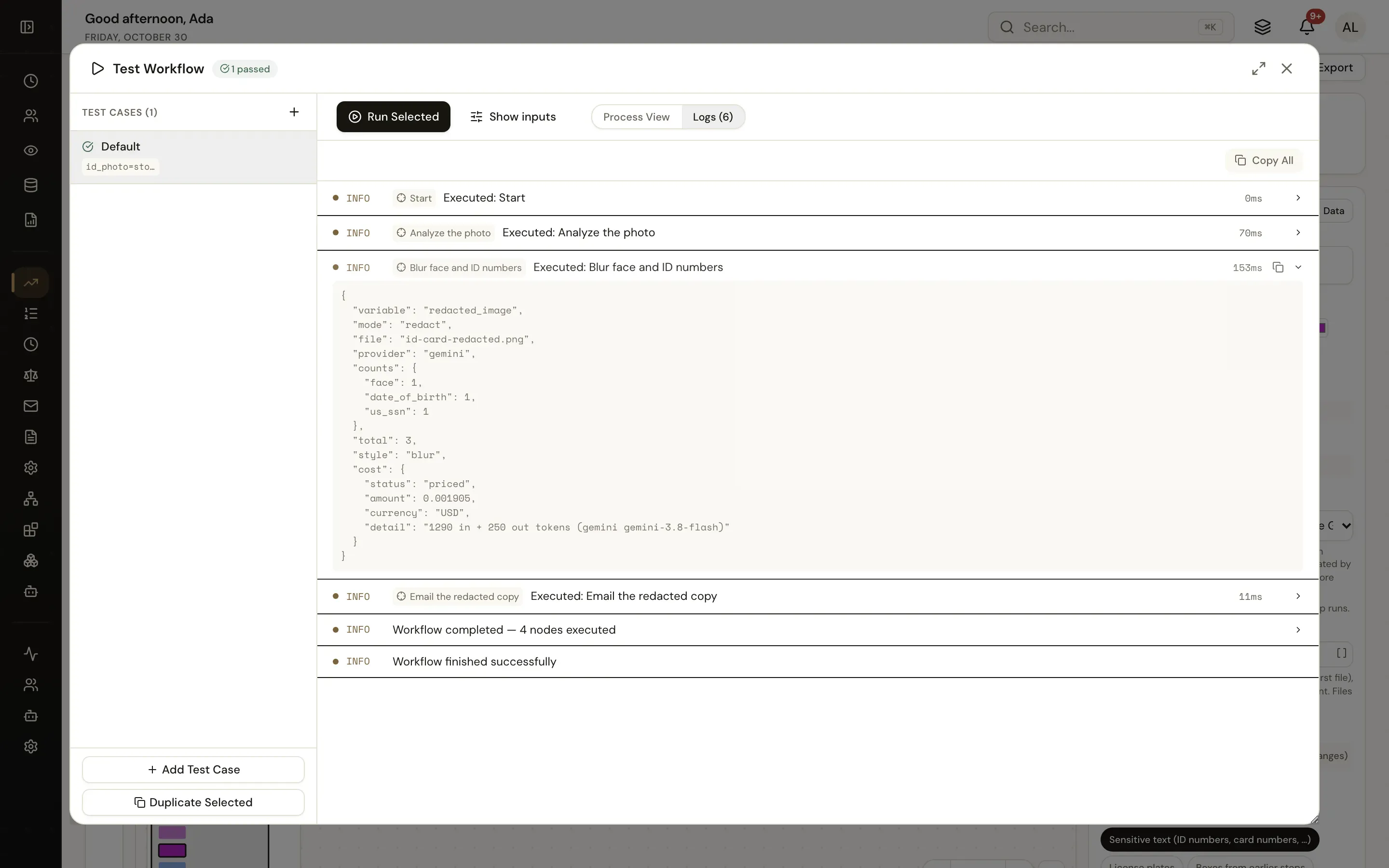
A workflow test run with the output of a media step
Test the moderation workflow with a sample upload before you connect your platform.

The flow

From upload to decision

  1. STEP 1

    Upload arrives

    Your platform posts the upload id, media URL and uploader.

  2. STEP 2

    AI verdict

    Risk score, category, child safety concern and a reason.

  3. STEP 3

    Thresholds

    Clear cases are approved or rejected; the rest go to a moderator.

  4. STEP 4

    Publish or hide

    Your platform is called, the uploader is told and the decision is logged.

Ready-made package

User-generated media moderation

Uploads arrive by API: AI safety analysis of images and videos, threshold rules that auto-approve or reject clear cases, a moderator queue for the rest, and the uploader is told.

Headless / API · needs Media AI provider, REST API, Assignees · about 20 minutes to set up · signed, free to install

See the package

Frequently asked questions

Is the AI verdict final?

Only for the bands you configure. Borderline items, self-harm and any possible child safety issue always go to a person, and uploaders can appeal.

What about child safety reports?

The package queues possible child safety issues for specialist review; reporting to the authorities must follow your legal process and the hash-matching services your platform uses.

Can I use a dedicated moderation model?

Yes. Add an OpenAI or AWS integration and use Analyze Image with the Safety feature, or keep the structured prompt with Gemini.

Related use cases

Building blocks:Complex workflows Integrations and AI Forms and attachments Document actions Images, audio and video Package gallery Deploy anywhere

Build it on an engine you control.

Open source under Apache-2.0. Use the cloud, or self-host it next to your own systems.