Getting started
Quickstart: cloud
Sign in to the hosted edition, build and run a first workflow, and drive it from the CLI.
The cloud edition at usertasks.com runs the same open-source code as a self-hosted install, operated for you. This page takes you from sign-in to a running workflow in about ten minutes.
1. Sign in
Open /login and sign in with your workspace slug, email and password, or with the invitation link you were sent. New to UserTasks and want a hosted workspace? Contact us.
The first time a workspace owner signs in, /onboarding asks for the organisation profile (name, URL identifier, industry and size).
2. Build a workflow
- Go to Automations → New workflow.
- Pick a trigger. Webhook is the easiest to test: it gives you a URL you can POST to.
- Drag nodes from the palette onto the canvas and connect them. Click a node to open its settings panel.
- Click Test run to execute the draft with sample variables and inspect every step.
- Click Publish. Runs always use the published version; you can keep editing the draft.
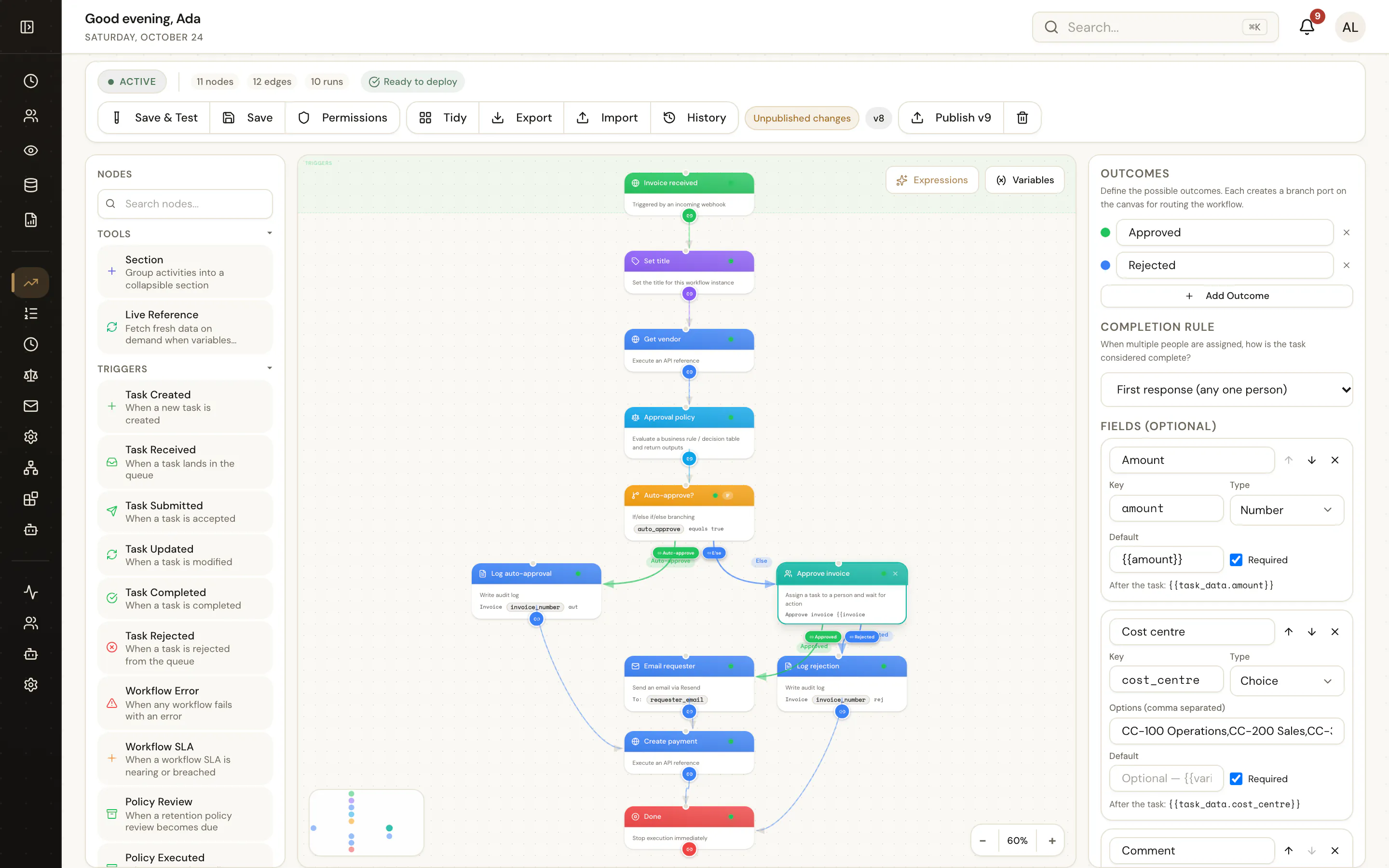
3. Run it and watch it
Start the workflow from the designer, by calling its webhook, or from the API. Open Automations → Runs to follow each run step by step; a run that reaches a User Task waits until someone completes the task in Tasks.
4. Do the same from a terminal
npm install -g @usertasks/cli          # Node.js 20+
usertasks login --url https://usertasks.com   # opens your browser
usertasks workflows list
usertasks workflows start --set workflow_id=<id> --set variables:='{"amount": 1200}'
usertasks logs tail --category workflow