Training and assessment

Course feedback, a scored quiz and a certificate on a pass

Collect course feedback and run a scored quiz on one form, attest with a signature, and on a pass generate a PDF certificate with its expiry; retakes and fails become tasks, and results are charted by course.

The problem

Quizzes are scored by hand and certificates are made in Word.

Training teams collect feedback in one tool, run the quiz in another, mark it by hand and copy names into a certificate template. Nobody tracks who needs a retake or when a certificate expires.

  • Manual marking and copy-paste certificates
  • No record that the learner did the quiz themselves
  • Expiry dates and retakes kept in a spreadsheet
How UserTasks solves it

One form, scored by the workflow, with a certificate on a pass.

The learner picks the course from a lookup, rates the trainer and the content, answers the quiz and signs an attestation. The workflow scores the answers, a decision table applies the pass mark, and a pass produces a PDF certificate with a number and expiry date by email. A retake goes back to the learner with the score shown; a fail becomes a coaching task with an SLA.

  • Rating, Likert scale, Signature and Progress controls
  • Pass, retake and fail bands in a decision table
  • Certificates as PDF built from a template in the workflow, no document service
  • Average score and pass rate by course on a results page

Architecture

How the pieces fit

Training quiz and certificate architectureA learner submits the feedback and quiz form with a signature. UserTasks scores it, applies the pass mark with a decision table, generates a PDF certificate on a pass and records the result; retakes and fails become tasks.INFeedback and quizTabs or stepsSignature attestationForm controlOUTLearnerCertificate by emailQuiz resultsData table · reportsUserTasks engineScore the answersDecision table: pass markCertificate PDFRetake or coaching task
A learner submits the feedback and quiz form with a signature. UserTasks scores it, applies the pass mark with a decision table, generates a PDF certificate on a pass and records the result; retakes and fails become tasks.

In practice

Scoring is an expression per question

Each answer adds a point when it matches; the decision table compares the percentage with the course pass mark.

json
{
  "type": "set_variable",
  "label": "Score",
  "config": {
    "name": "score_pct",
    "expression": "{{=ROUND((IF(form.q1 == \"Report it to IT security\", 1, 0) + IF(form.q2 == \"Lock the screen\", 1, 0) + IF(form.q3 == \"A password manager\", 1, 0)) * 100 / 3, 0)}}"
  }
}
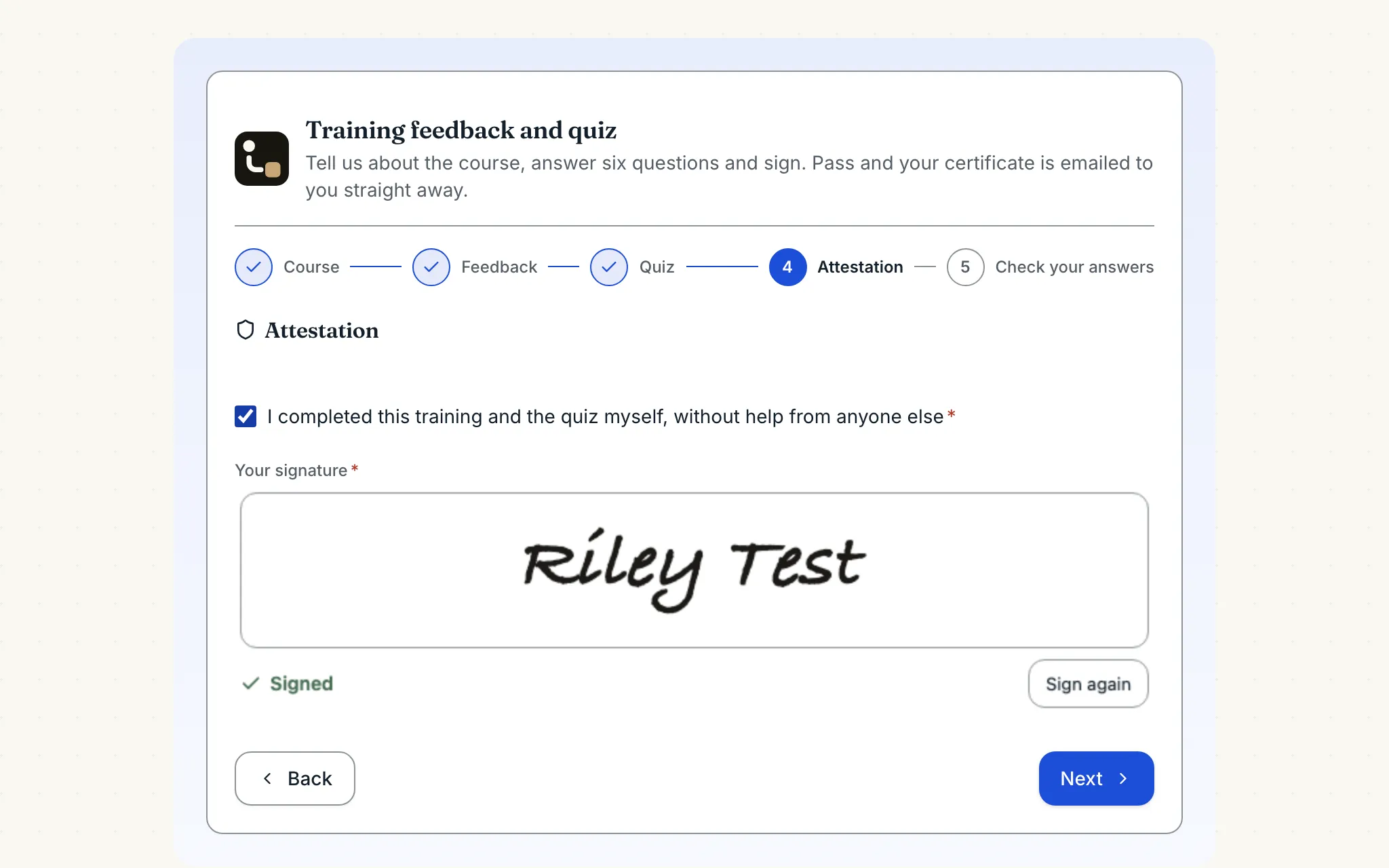
The attestation step of the training feedback and quiz form: a stepper showing course, feedback and quiz completed, a confirmation checkbox and the learner's signature
The last step before the review: the learner confirms they did the quiz themselves and signs. The workflow then scores it and issues the certificate.

The flow

From quiz to certificate

  1. STEP 1

    Learner answers

    Course lookup, feedback ratings, the quiz and a signature attesting they did it themselves.

  2. STEP 2

    Score and band

    Expressions score each answer; the decision table applies the course pass mark.

  3. STEP 3

    Certificate

    A pass generates a PDF certificate with a number and expiry date, emailed and recorded.

  4. STEP 4

    Retake or coach

    Near misses go back to the learner; fails become a coaching task with an SLA.

Ready-made package

Training feedback, quiz and certificate

Course feedback with ratings and a Likert matrix, a scored six-question quiz and a signed attestation; passes get a PDF certificate by email, near misses a retake task and fails a booked session.

Starts from a form · needs · about 10 minutes to set up · signed, free to install

See the package

Frequently asked questions

Is the signature a legal e-signature?

It is an internal attestation: the drawn or typed signature is stored as an image with the submission, alongside who was signed in and when. For contracts that need a qualified or regulated e-signature, use a signature service.

Can I use my own certificate design?

The package builds the certificate from text in the workflow so it needs no template. To use your branded Word template, swap the step for Word Document with find and replace, then Convert Document to PDF.

Can learners see the right answers?

Not from the package. The correct answers live in the workflow's scoring expressions, which only people who can edit workflows see.

Related use cases

Building blocks:Complex workflows Integrations and AI Forms and attachments Document actions Images, audio and video Package gallery Deploy anywhere

Build it on an engine you control.

Open source under Apache-2.0. Use the cloud, or self-host it next to your own systems.