Building blocks
Data tables and objects
Typed tables inside UserTasks with row events, workflow access, reports and an OData endpoint — plus business objects that span tables and APIs.
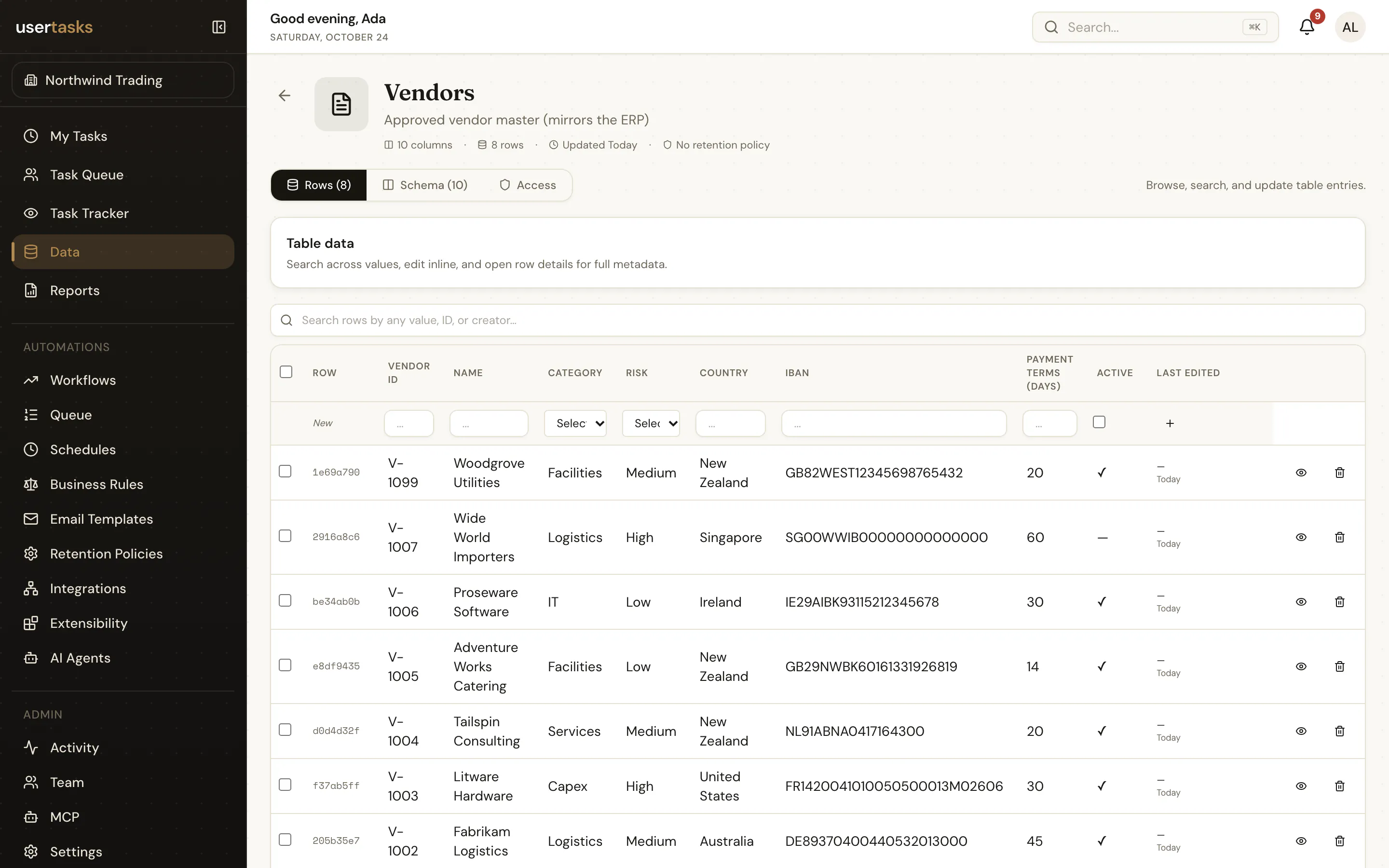
Data tables hold the reference data and records your processes need — vendors, cost centres, case records — without another database.
Columns
Column types: text, longtext, number, date, boolean, select (with options), file and lookup (a reference to a row in another table).
usertasks tables create -f vendors.yaml
usertasks rows upsert <table-id> --set data:='{"vendor_id":"V-311","name":"Acme Paper","risk":"low"}'
usertasks rows list <table-id> --all -o json
Using tables
- Workflows — the Data node inserts, gets, updates, deletes and lists rows; Data Table Event triggers start a run when rows change (
row,row_idand one variable per column). - Agents — built-in tools query, insert and update rows of tables the agent may use.
- Reports — every table is a report source.
- OData —
/api/odataexposes tables (and saved reports) as an OData service with$metadata,$filter,$select,$orderby,$topand$skip, so Excel, Power BI and other OData clients can read them with an API key. - Retention — tables and individual rows can carry retention policies (see Audit, retention and deletion).
API keys can be limited to specific tables (table_ids).
Business objects
An object combines a primary source (a data table or a reference) with joined sources into one business entity — for example a Vendor that joins your Vendors table with live risk data from an API. Objects generate a reference that workflows, agents and reports use like any other (usertasks objects …).