Workflows
The designer
Build workflows on the visual canvas: palette, settings panel, sections, test runs and validation.
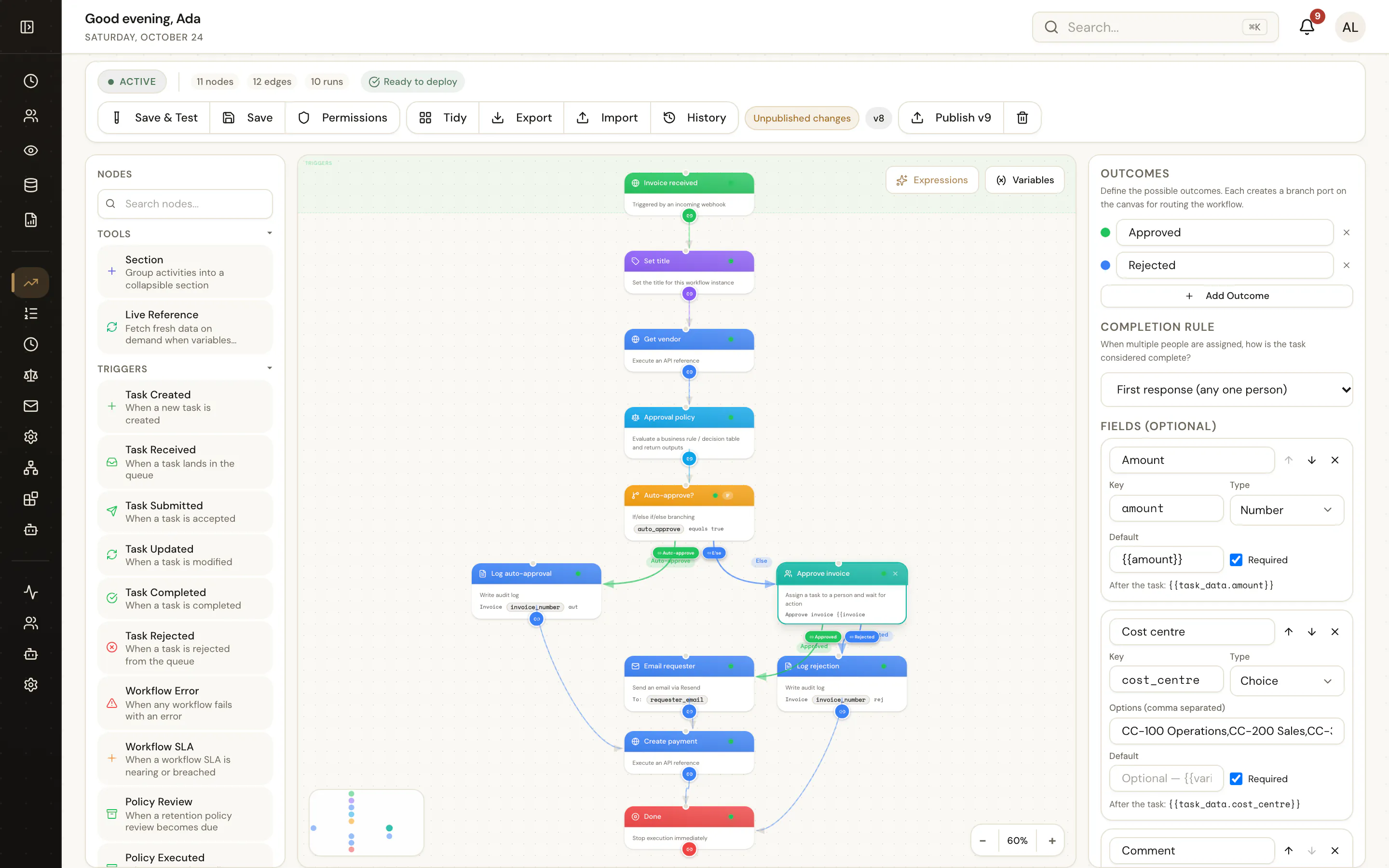
Open Automations, then a workflow (or New workflow). The designer has three areas:
- Palette — every node type, grouped as triggers, logic, actions, operations and collections, plus your active custom workflow steps. Drag a node onto the canvas, or drop it on an edge to insert it.
- Canvas — nodes and edges. Each node shows a one-line summary of its settings (for example
GET Get vendoror→ Invoice approval policy), so a published flow reads like a specification. Group related nodes in a Section. - Settings panel — opens when you select a node. Fields accept expressions; the variable picker lists the trigger's variables and the outputs of earlier nodes.
Connecting nodes
Drag from a node's port to another node. Nodes with several exits label their edges:
| Node | Edge labels |
|---|---|
| Branch by Condition | the branch labels, plus Else |
| Branch by Value | the case values, plus Default |
| User Task | the outcomes, e.g. Approved / Rejected |
| Loop | the loop body, then the path after the loop |
| Parallel | one edge per branch |
Validation
The designer validates every node as you work (the same validateNode the API uses) and shows problems on the node and in the publish dialog — for example "No reference selected" or "Input \"amount\" required". The node reference lists each node's validation rules.
Test runs
Test run executes the current draft with variables you enter. You see each step's status, duration, input, output and log lines, and the path taken. Test runs are marked as tests and do not count in reports.
Variables panel
Declare user variables with defaults; they are available to every node and can be overridden by the trigger or the caller (variables on POST /workflows/start).
Keyboard and layout tips
- Select several nodes to move them together; sections move their contents.
- Use Placeholder nodes to sketch a flow before every integration exists.
- Go To Activity keeps rework loops readable instead of drawing long edges back up the canvas.