Workflows
Error handling
Decide per node whether a failure stops the run, inspect errors, retry runs and build central error workflows.
Per node: stop or continue
Each node has an onError setting:
stop(default) — the run fails, the error is recorded on the node and the run, and Workflow Error triggers fire.continue— the error is logged as a warning and the run follows the node's outgoing edges. These variables are set for downstream nodes:
| Variable | Value |
|---|---|
has_error | true |
last_error | The error message |
last_error_node / last_error_node_id / last_error_node_type | Which node failed |
Branch on {{has_error}} to compensate, notify or create a task for a person.
Central error workflows
A workflow with a Workflow Error trigger runs whenever another workflow (or only the ones you choose) fails, with error_workflow_id, error_workflow_name, error_run_id, error_message, error_node and error_timestamp. Use one to page on-call, open an incident or log to a data table.
Retrying
- Failed runs:
usertasks runs action <run-id> --set action=resume(or pause / cancel) — or from the run detail page. - Failed queue jobs:
usertasks queue action <job-id> --set action=retry.
Queue jobs are retried automatically with backoff before they are marked dead; workflow.queue.failed and workflow.queue.dead events tell you when that happens.
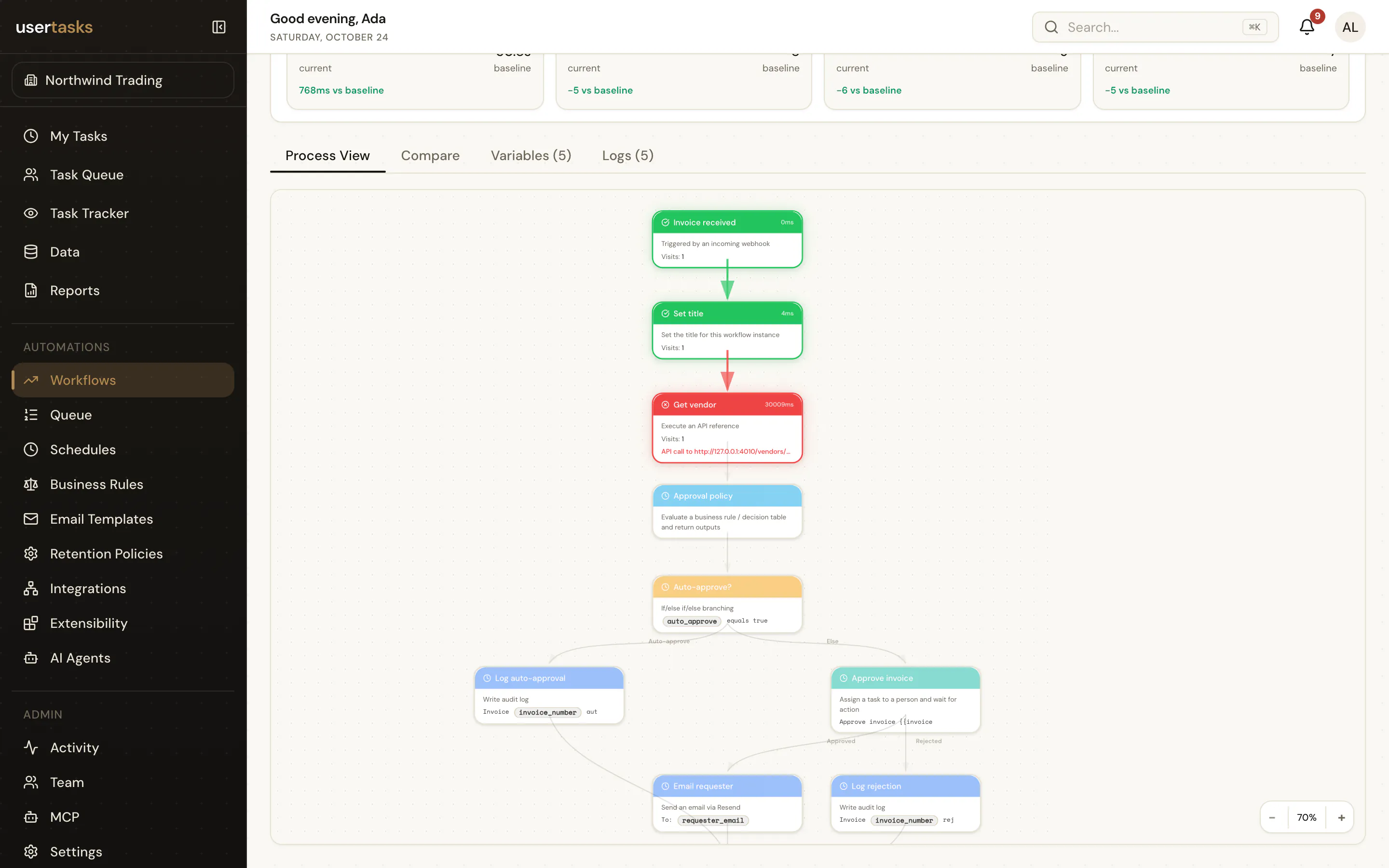
Finding failures
- Automations → Runs filters by status; each run shows its path, step logs and the error.
usertasks logs tail --type workflow.run.failedfollows failures live.- Ship
severity=errorevents to your log platform and alert on them; see Observability.