Documents
Read Document
Turn a Word, Excel, PowerPoint, PDF, OpenDocument, Markdown, HTML, CSV, JSON, XML, YAML or text file into text, Markdown, HTML, metadata, structure and rows.
Read Document (doc_read) reads one file and gives the rest of the workflow everything in it: plain text, Markdown, sanitised HTML, metadata (title, author, dates, page / slide / sheet counts, word and character counts, reading time), a structure specific to the format, and rows — the first sheet of a workbook or the first table of a document — ready for a Loop.
Inputs
Document (source): a file object (a form's Attachments field, a file from another step), a list of files (the first is read), a storage:// reference, a URL, base64 content or text. See File inputs and Supported formats.
Options
| Setting | Key | Default | What it does |
|---|---|---|---|
| Pages / slides | pages | all | PDF pages or PowerPoint slides: 3, 2-5 or 4- (to the end) |
| Sheet | sheet | all sheets | A sheet name or 1-based number. With none, every sheet is read and rows holds the first |
| Range | range | the used range | An A1 range such as B2:F40 or Orders!B2:F40 |
| Header row | header_row | auto | auto detects the header (title and blank rows above the table are skipped), first uses the first non-empty row, none names the columns column_1, column_2…, or a 1-based row number within the range |
| Max rows | max_rows | all | Data rows kept per sheet |
| CSV delimiter | delimiter | detected | For CSV and TSV files (not shown in the designer; set it in the JSON) |
| Tables | include_tables | true | Tables of Word, HTML and Markdown files, and tables found in text PDFs |
| List embedded images | include_images | false | Names and sizes of images in Word and PowerPoint files (structure.images) |
| Tracked changes (Word) | tracked_changes | accept | accept reads the document as if every change were accepted; show keeps deletions and insertions in the text (struck through and underlined in html) |
| Max characters | max_chars | 2,000,000 | Characters kept in text, markdown and html (at least 1,000); truncated is true when it cut |
| OCR | ocr | off | off, auto (pages without a text layer, and images) or force (every page). See OCR |
| OCR languages | ocr_languages | eng | Tesseract language codes, eng+deu for several (up to 5) |
| Output variable | output_var | document | Where the result goes |
Outputs
| Variable | Contents |
|---|---|
{{document}} | The whole result (below) |
{{document_text}} | Plain text |
{{document_rows}} | Rows of the first (or chosen) sheet, or of the first table: a list of objects keyed by the header |
{{document_count}} | Number of rows |
{{document_metadata}} | The metadata, also as {{<node label>_document_metadata}} |
With another Output variable, document is replaced by that name ({{invoice}}, {{invoice_text}}, …).
Reading a Word contract between Northwind Traders and Exotic Liquids:
{
  "file": { "name": "supply-agreement.docx", "size": 12840, "mime_type": "application/vnd.openxmlformats-officedocument.wordprocessingml.document" },
  "type": { "format": "docx", "mime_type": "application/vnd.openxmlformats-officedocument.wordprocessingml.document", "extension": "docx", "label": "Word document", "detected_by": "content", "is_text": false, "extension_mismatch": false },
  "text": "Supply Agreement\nBetween Northwind Traders and Exotic Liquids. See the terms.\nTerm\n- The term is 24 months.\n- Contact: orders@northwind.example, +64 9 555 0100\nProduct\tPrice\nChai\t18.00\nChang\t19.00",
  "markdown": "# Supply Agreement\n\nBetween **Northwind Traders** and *Exotic Liquids*. See [the terms](https://northwind.example/terms).\n\n## Term\n\n1. The term is 24 months.\n1. Contact: orders@northwind.example, +64 9 555 0100\n\n| Product | Price |\n| --- | --- |\n| Chai | 18.00 |\n| Chang | 19.00 |\n",
  "html": "<h1>Supply Agreement</h1>\n<p>Between <strong>Northwind Traders</strong> and <em>Exotic Liquids</em>. See <a href=\"https://northwind.example/terms\" rel=\"noopener noreferrer\" target=\"_blank\">the terms</a>.</p>\n<h2>Term</h2>\n…",
  "metadata": {
    "title": "Supply Agreement", "author": "Andrew Fuller", "subject": null, "keywords": null,
    "created": "2026-09-01T10:00:00Z", "modified": "2026-10-02T11:00:00Z", "last_modified_by": "Nancy Davolio",
    "pages": 2, "slides": null, "sheets": null, "format": "docx", "format_label": "Word document",
    "words": 30, "characters": 196, "characters_no_spaces": 166, "lines": 8, "paragraphs": 1, "sentences": 7, "reading_time_minutes": 1
  },
  "structure": {
    "headings": [{ "level": 1, "text": "Supply Agreement" }, { "level": 2, "text": "Term" }],
    "links": [{ "text": "the terms", "href": "https://northwind.example/terms" }],
    "tables": [{ "header": ["Product", "Price"], "rows": [["Chai", "18.00"], ["Chang", "19.00"]], "records": [{ "Product": "Chai", "Price": "18.00" }, { "Product": "Chang", "Price": "19.00" }] }],
    "comments": [{ "id": "0", "author": "Nancy Davolio", "date": "2026-10-01T09:00:00Z", "text": "Check the term length" }],
    "tracked_changes": { "insertions": 1, "deletions": 1, "items": [{ "type": "deletion", "author": "Nancy Davolio", "date": "2026-10-02T10:00:00Z", "text": "12" }, { "type": "insertion", "author": "Nancy Davolio", "date": "2026-10-02T10:00:00Z", "text": "24" }] }
  },
  "rows": [{ "Product": "Chai", "Price": "18.00" }, { "Product": "Chang", "Price": "19.00" }],
  "truncated": false,
  "warnings": []
}
What structure holds depends on the format:
| Format | structure |
|---|---|
| Word | headings, links, tables, comments, tracked_changes, images (when listed) |
| Excel, OpenDocument spreadsheet, CSV | sheets (each with name, range, row_count, column_count, header_row, headers, rows, values), sheet_names; Excel also defined_names |
| PowerPoint | slides (number, title, text, notes), images (when listed) |
pages (number, text, characters, has_text_layer, image_count, width, height, ocr), outline (bookmarks), links, form_fields, tables | |
| Markdown | front_matter, headings, links, tables |
| JSON, YAML, XML | data (the parsed value; a JSON list of objects is also rows) |
Spreadsheet values are typed: numbers stay numbers, dates become YYYY-MM-DD, formulas give their computed value. PDF table cells are text.
The run history shows a summary, not the text:
{ "variable": "document", "file": "supply-agreement.docx", "format": "docx", "pages": 2, "words": 30, "characters": 196, "rows": 2, "tables": 1, "truncated": false, "text_preview": "Supply Agreement Between Northwind Traders and Exotic Liquids. See the terms. Term - The term is 24 months. - Contact: orders@northwind.example, +64 9 555 0100 Product Price Chai 18.00 Chang 19.00" }On the canvas
The node shows what it reads into, with the OCR mode, sheet and pages when set: → document, sheet Orders → orders, OCR auto → invoice.
Limits
- The file:
DOCUMENT_MAX_MB(25 MB); unpacked Office filesDOCUMENT_MAX_UNPACKED_MB(250 MB); 2,000,000 spreadsheet cells;DOCUMENT_MAX_PDF_PAGES(500) pages — a warning says when only part was read. - Time:
DOCUMENT_TIMEOUT_SECONDS(60), orDOCUMENT_OCR_TIMEOUT_SECONDS(120) when it is longer and OCR is on. - Output: 2,000,000 characters of text, Markdown and HTML each (lower with Max characters).
- Word 97–2003 (
.doc), Excel 97–2003 (.xls) and PowerPoint 97–2003 (.ppt) files cannot be read: save them in the current format, or convert them to PDF with the external converter first. - PDF tables are found from the positions of text on the page — reliable for simple grids, not for merged cells or tables without aligned columns. A PDF page without a text layer is listed with
has_text_layer: falseand a warning until you turn OCR on.
Security notes
The file is read for this workspace only, Office files are checked for ZIP bombs, XML parts with a DOCTYPE are refused, html is sanitised, and PDFs are read with eval off. See Security.
Example
{
  "type": "doc_read",
  "label": "Read orders",
  "config": {
    "source": "{{form.workbook}}",
    "sheet": "Orders",
    "header_row": "auto",
    "max_rows": 5000,
    "output_var": "orders"
  }
}
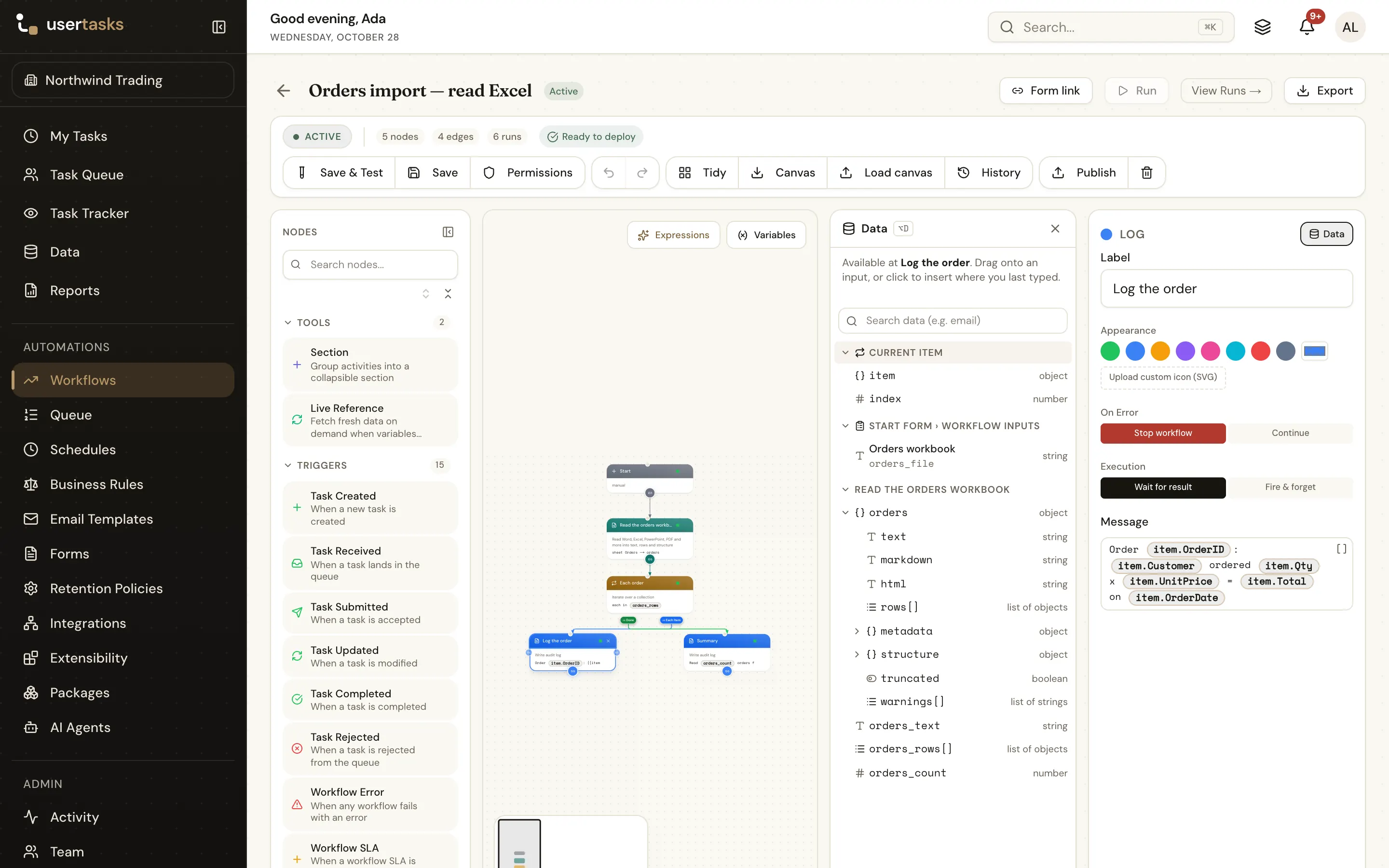
Canvas: sheet Orders → orders. Then loop over {{orders_rows}}; inside the loop {{item.OrderID}}, {{item.Customer}}… are the current row.
Works well with
- Loop For Each over
{{document_rows}}, and a Data step to save each row — see Import an Excel file into a data table. - Run Agent with
{{document.text}}to summarise or classify. - Extract from Document for named values and tables; Compare Documents for two versions.
- A Condition on
{{document.metadata.pages}},{{document_count}}or{{document.structure.tracked_changes.insertions}}.