Media (images, audio, video)
Redact Image
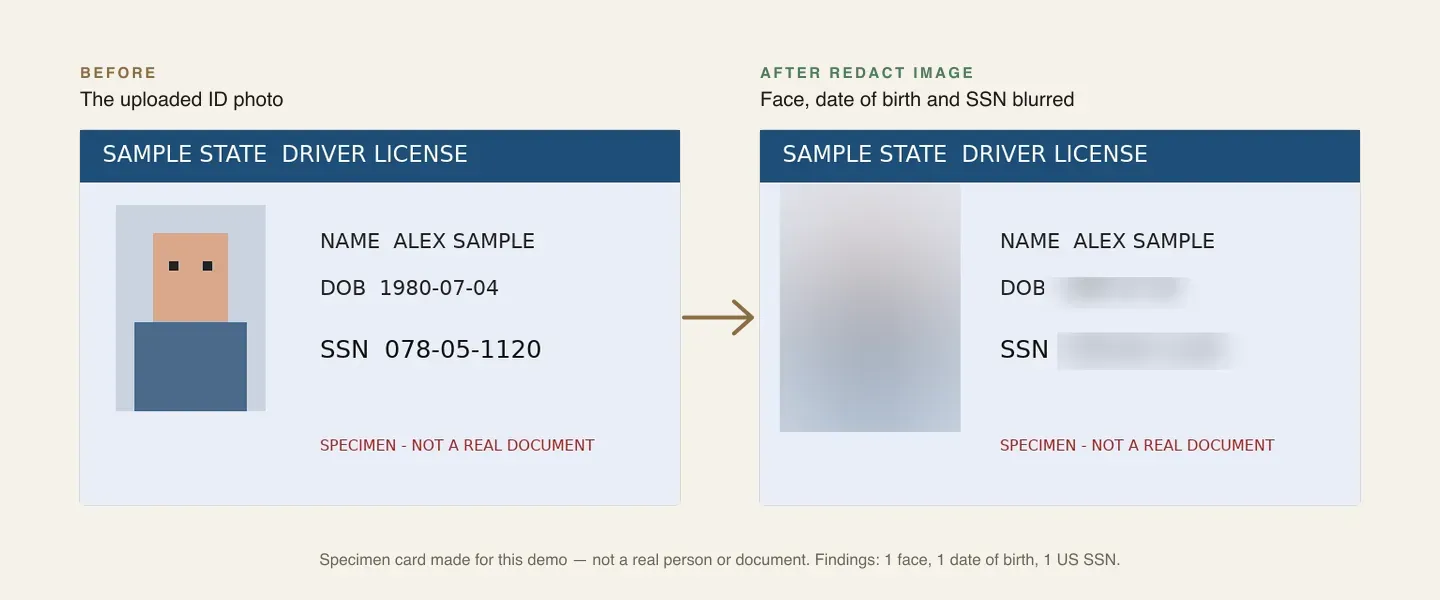
Blur, pixelate or box faces, license plates and sensitive text such as ID and card numbers in an image, or only report where they are.
Redact Image (media_redact_image) finds faces, license plates and sensitive text in an image and makes a copy with them blurred, pixelated or covered — or, in Detect only, reports where they are without changing anything.
Sensitive text is found by reading the image's text (OCR with positions) and checking it with the same information types as Redact Document: national IDs, card and bank numbers, dates of birth and more, with check digits and context words.
Inputs
AI provider (integration_id): one of the workspace's integrations made from a media-capable connector — see Provider setup. It is chosen in the designer (not an expression). The picker lists only connections that can do the step, and warns when the chosen provider cannot do a feature you picked. Not needed when the only target is Boxes from earlier steps.
Image (source): A file object (a form's Attachments field such as {{form.recording}}, or a file from another step), a list of files (the first is used), a storage:// reference, an http(s) URL (fetched through the egress guard) or base64 content. Files are read for the run's workspace only — the same rules as the document actions.
Options
| Setting | Key | Default | What it does |
|---|---|---|---|
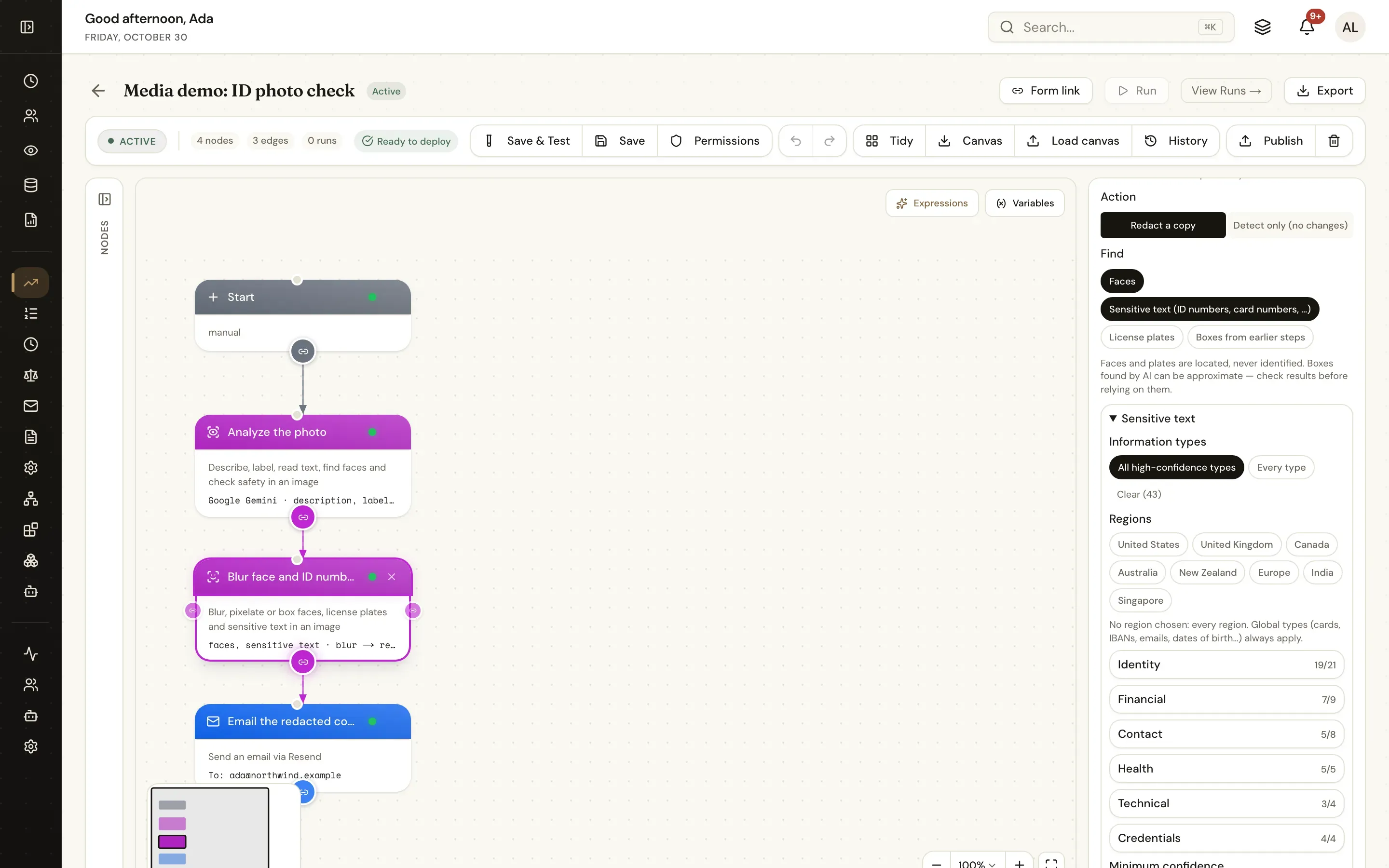
| Action | mode | redact | redact makes a copy; detect_only only reports findings |
| Find | targets | ["faces", "text_pii"] | Any of faces, text_pii (sensitive text), plates (license plates), custom (boxes you pass in) |
| Information types | info_types | ["@high"] | For text_pii: type ids, @high (every type that can reach high confidence), * or category:<id> |
| Regions | regions | every region | Limit the types to regions such as US, UK, NZ |
| Minimum confidence | min_confidence | medium | low, medium or high |
| Words and phrases | terms | — | Comma- or newline-separated text to cover wherever it appears |
| Patterns | patterns | — | Regular expressions ([{ "pattern": "ACC-\\d{6}" }]) |
| Boxes | boxes | — | For custom: a list of { x, y, width, height } (fractions) or { left, top, width, height } (pixels), optional label — for example {{image_analysis.faces}} from Analyze Image |
| Style | style | blur | blur, pixelate or box (a solid box) |
| Box color | color | #000000 | For box |
| Padding | padding | 10 | Percent of each box added on every side |
| Output format | output_format | same | same, png or jpeg |
| Output file name | output_name | <source>-redacted | |
| Output variable | output_var | redacted_image (image_findings in Detect only) |
Outputs
| Variable | Contents |
|---|---|
{{redacted_image}} | mode, file, findings, counts (type → count), total, width, height, provider, cost |
{{redacted_image_file}} | The redacted copy (not in Detect only) |
{{redacted_image_findings}} | Findings — type (face, plate, custom or an info type id such as us_ssn), label, source, text (masked), confidence, box, box_px |
{{redacted_image_count}} | Regions redacted (findings in Detect only) |
Example
{
  "type": "media_redact_image",
  "label": "Blur faces and IDs",
  "config": {
    "integration_id": "<integration-id>",
    "source": "{{form.photo}}",
    "targets": ["faces", "text_pii"],
    "info_types": ["@high"],
    "style": "blur"
  }
}
Notes
- The covered areas are changed in the pixels of the copy; the original file is not changed.
- Box accuracy depends on the provider: Azure AI Vision and AWS measure boxes; Google Gemini's are located by the model and approximate. Run Detect only in Save & Test first and check the findings.
- PNG and JPEG are processed in JavaScript on every deployment; other image formats need FFmpeg.