Media (images, audio, video)
Redact Video
Blur faces, license plates and sensitive text across a video, and bleep or mute sensitive speech — in video or audio-only files.
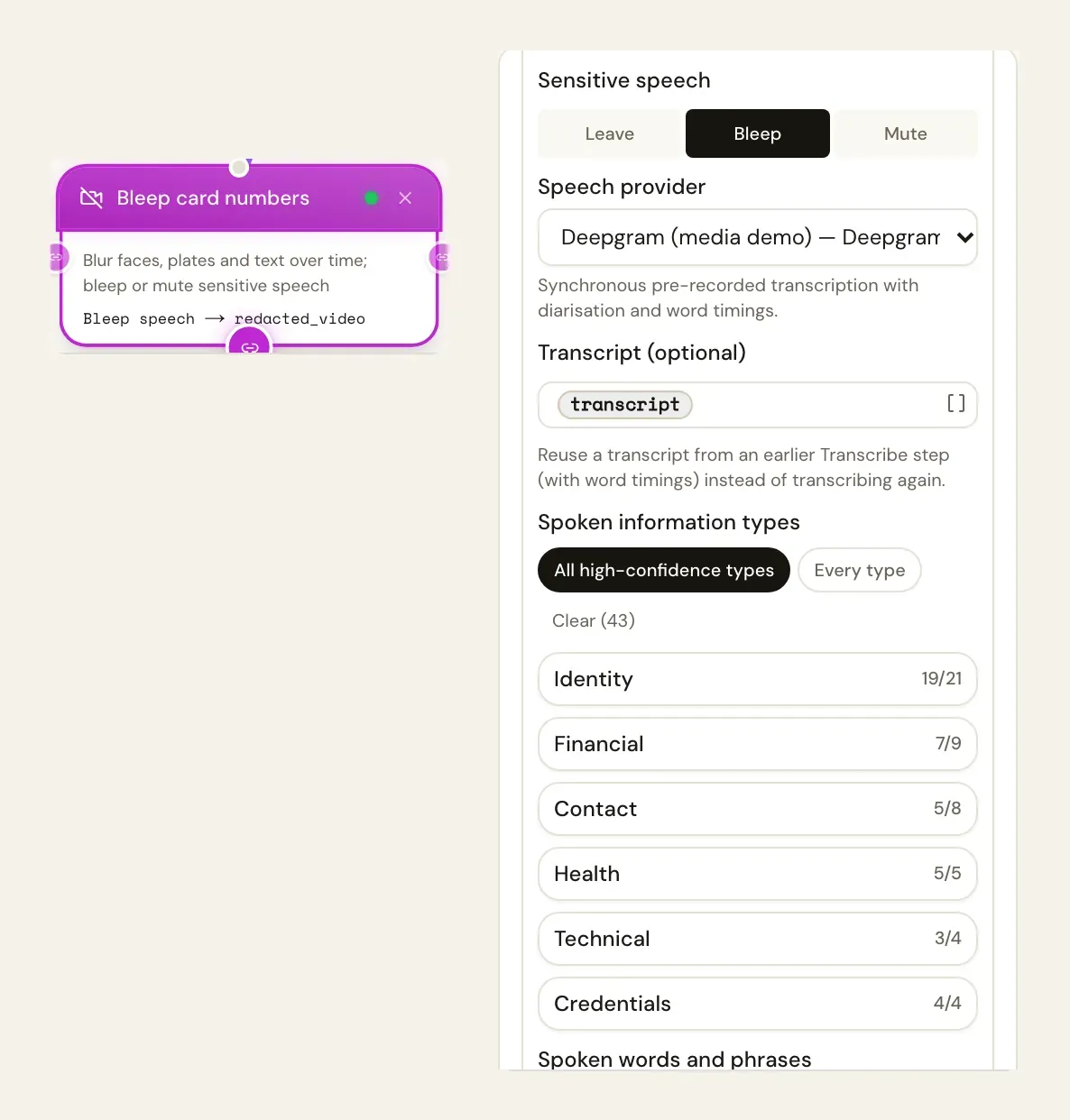
Redact Video (media_redact_video) does what Redact Image does, over time: it analyses frames at a fixed interval (Seconds between analysed frames) and covers what it finds in the copy. It can also bleep or mute sensitive speech, found by transcribing the audio and checking the words against the information types and your terms.
Audio-only files — a call recording — work too: clear Find and set Sensitive speech to bleep or mute; only the speech is redacted.
It needs FFmpeg on the server (not available on Vercel) and accepts videos up to MEDIA_VIDEO_REDACT_MAX_SECONDS (600 seconds by default).
Inputs
AI provider (integration_id): one of the workspace's integrations made from a media-capable connector — see Provider setup. It is chosen in the designer (not an expression). The picker lists only connections that can do the step, and warns when the chosen provider cannot do a feature you picked. Needed for faces, plates and sensitive text on screen; not needed for Boxes from earlier steps alone, or for speech alone when a Speech provider is chosen.
Video (or audio) (source): A file object (a form's Attachments field such as {{form.recording}}, or a file from another step), a list of files (the first is used), a storage:// reference, an http(s) URL (fetched through the egress guard) or base64 content. Files are read for the run's workspace only — the same rules as the document actions.
Options
Everything from Redact Image (mode, targets, info_types, regions, min_confidence, terms, patterns, boxes, style, padding) — boxes may also carry start and end in seconds — plus:
| Setting | Key | Default | What it does |
|---|---|---|---|
| Seconds between analysed frames | sample_interval | 1 | At least 0.2. Shorter catches faster movement but costs more provider calls |
| Sensitive speech | audio | none | none, bleep or mute |
| Spoken information types | audio_info_types | — | Info types to find in the speech |
| Spoken words and phrases | audio_terms | — | Words to bleep or mute |
| Speech provider | transcribe_integration_id | the AI provider, when it can transcribe | The connection that transcribes the audio |
| Transcript | transcript | — | A transcript from an earlier Transcribe step (with word timings) to reuse |
| Output format | output_format | mp4 | mp4, webm or mov |
| Run | run_mode | auto | auto, inline or background |
| Output variable | output_var | redacted_video (video_findings in Detect only) |
Run (run_mode): auto (default) runs the step in the background when the media is longer than MEDIA_INLINE_MAX_SECONDS (300 seconds) or the provider works as an asynchronous job, and the run continues when it finishes; inline always waits in the step; background always hands it to a job. Background needs a saved workflow run — Save & Test always runs inline.
Outputs
| Variable | Contents |
|---|---|
{{redacted_video}} | mode, file, findings (with start and end), counts, total, duration, frames_sampled, audio_segments (start, end, type, masked text), provider, cost |
{{redacted_video_file}} | The redacted copy (not in Detect only) |
{{redacted_video_findings}} | Findings — loop over them |
{{redacted_video_count}} | Regions redacted (findings in Detect only) |
Example
{
  "type": "media_redact_video",
  "label": "Redact dashcam clip",
  "config": {
    "integration_id": "<integration-id>",
    "source": "{{form.video}}",
    "targets": ["faces", "plates"],
    "sample_interval": 0.5,
    "audio": "bleep",
    "audio_info_types": ["@high"]
  }
}
Notes
- A region that appears between two sampled frames for less than the interval can be missed; lower
sample_intervalfor fast motion, and review the result. - Cost grows with the number of frames sent to the provider (duration ÷ interval).